How can we help?
Categories
How to Create an Account On LCSC Cable?
Step 1: Go to the Registration Page
- Method 1: Click here to go directly to the registration page
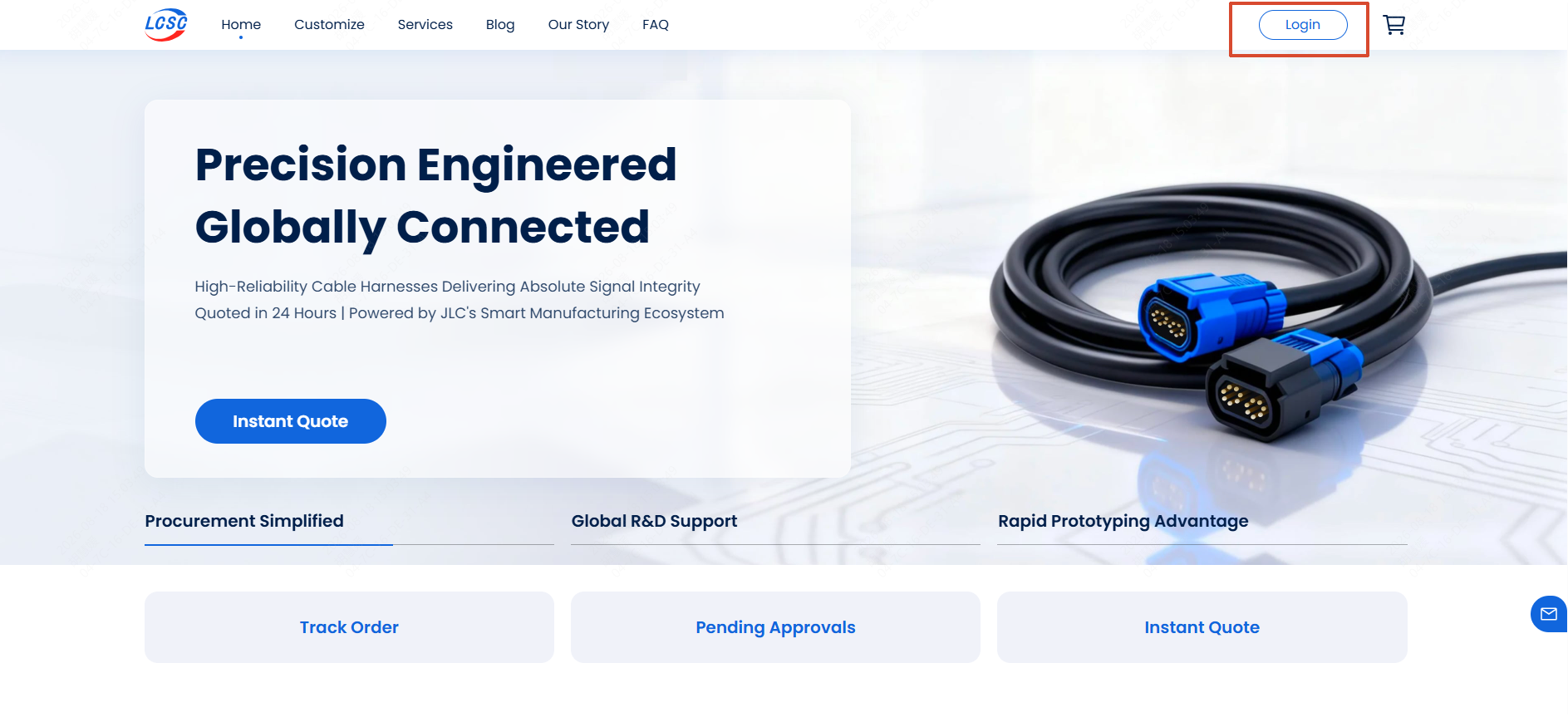
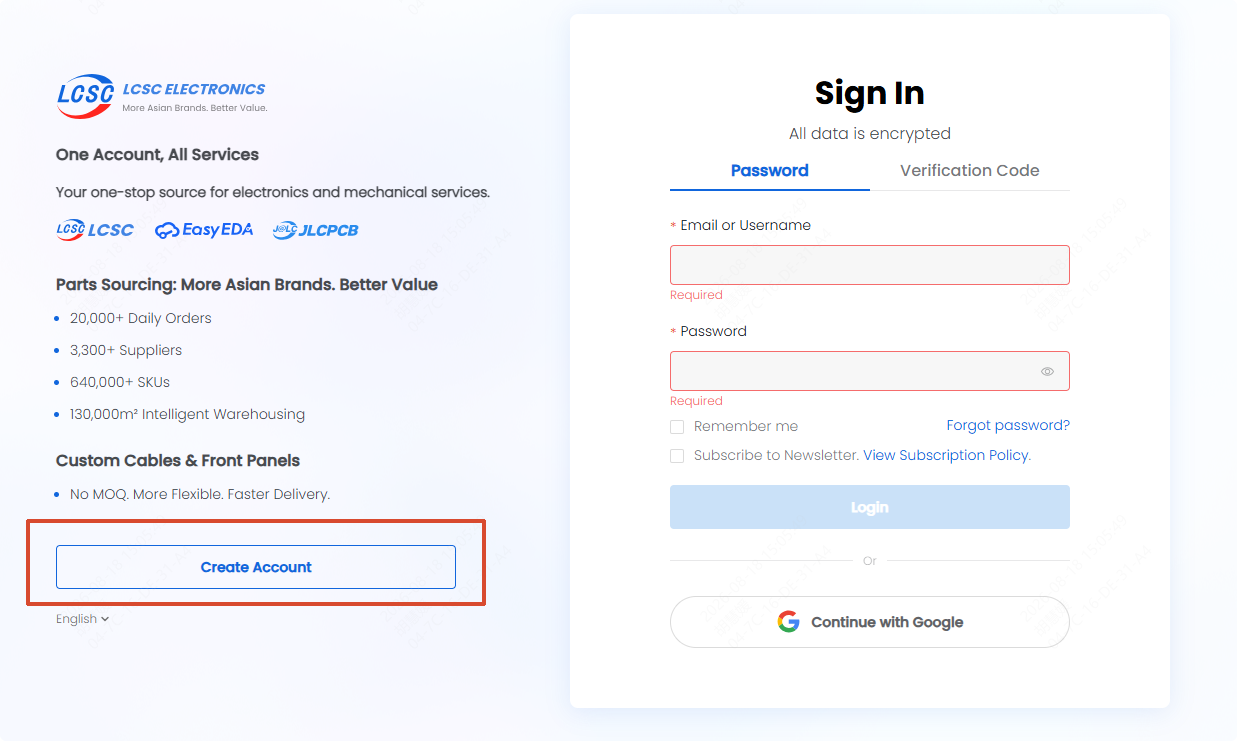
- Method 2: Click "Login" on the homepage and then click "Create Account" on the Sign In page
Step 2: Fill Out the Form
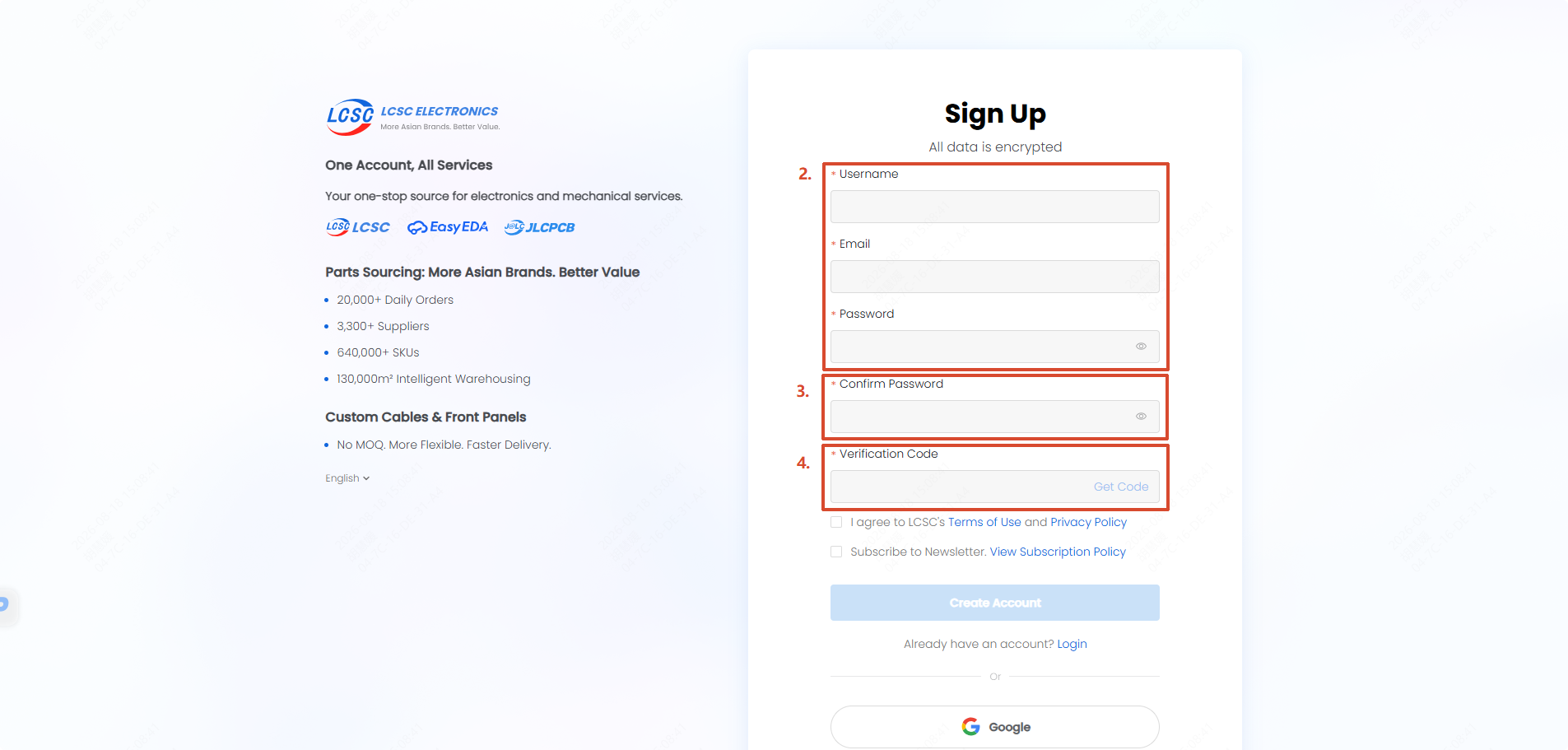
Enter your preferred Username, Email Address, and create a secure Password in the fields provided.
Step 3: Email Verification
- Click the "Get Code" text button inside the Verification Code box.
- Check your email inbox for the Verification Code.
- Copy and paste the code into the Verification Code field.
Step 4: Accept Terms and Complete Registration
- Tick the box to agree to LCSC’s Terms of Use and Privacy Policy.
- Subscribe to the newsletter (Optional).
- Click the "Create Account" button.
Troubleshooting Tips:
If you don’t see the verification email within a couple of minutes, please check your Spam or Trash folders.
If the email still hasn’t arrived, double-check that you entered your email address correctly, or contact us at support@lcsc.com for assistance.